
Faster front-line work
Less time searching, re-entering and confirming before a task can move.
POS, warehouse, billing, fashion product data, marketplace catalogues, asset registers, store reconciliation and analytics for Indian businesses. Eight focused products, and you can start with one at a time.
8 standalone products · 10 industries · GST-aware where relevant
Each QGenx product stands alone. Adopt the one closest to your problem, then connect others only where it removes real work.
POS runs the counter for multi-store retail: barcode checkout, offers set once by head office, coupons, printable receipts with tax, phone-based loyalty and returns against the original invoice. Goods are received by box, and head office reads sales across every store in one view.
Barcode checkout, offers, receipts and one head-office view of sales across stores.
ExploreStockify runs warehouse receiving and order operations. Purchases must be approved before anyone receives against them, goods are received box by box by barcode, and shortages or excess are recorded against the purchase. Bookings hold stock without confirming a sale, and approved orders become pick slips for the warehouse floor.
Approved purchases, box-wise receiving, stock holds and pick slips.
ExploreStylify keeps each style and its barcode-level variants together. Define your own attributes such as brand, department, fabric and season, generate colour and size variants, and keep production runs and labels on one record, created or updated from a CSV upload.
Styles, size and colour variants and production-ready barcodes from one upload.
ExploreBillify keeps your clients and billable services in one place and builds the invoice from them. Drafts are confirmed when they are right, invoices print under your brand, copies of earlier invoices start new drafts, and registers and GST and HSN reports are ready afterwards.
Client records, itemised GST invoices, branded print and billing reports.
ExploreListify reads each marketplace’s spreadsheet template, maps your product fields to its columns, shows which fields are still unmapped, and generates the catalogue CSV from your product data. You upload the file yourself on the marketplace portal.
Map your fields to marketplace templates and generate the catalogue CSV.
ExploreAssetify builds an asset register from guided capture: a QR-based and barcode-based identifier for every asset, template fields, up to six photographs and a named owner. Ownership history is kept, and the register is searchable afterwards.
Asset register with QR and barcode IDs, photos and ownership history.
ExploreRetail management system for:
Retail management system for reconciliation, discrepancy monitoring and sales analysis.
ExplorePrism turns imported and recorded product, store, sales, returns and stock data into pivots, comparisons and merchandise views, so the question is answered in one place. Stock-to-sale, markdown impact, size runs and e-commerce return risk are included.
Pivots, comparisons and merchandise views for retail and ecommerce data.
ExploreChoose the problem closest to yours. Click one to see its product.
POS runs the counter, receives merchandise by barcode and box, and gives head office one view of sales across stores. Offers, returns and loyalty all follow rules you set once.
The products most useful for explaining QGenx at a glance, each with its own page and how-it-works steps.
POS runs the counter, receives merchandise by barcode and box, and gives head office one view of sales across stores. Offers, returns and loyalty all follow rules you set once.
Stockify connects purchase receiving, customer bookings, stock holds and approved pick preparation. It keeps each step apart so a booking is never mistaken for an approved sale.
StoreX gives online-order teams a packing-and-shipping back office and store-supply teams a scan-built supply and reconciliation workflow. One channel or many: each channel has one or more stores. Each track has its own screens, so nothing is blurred.
Stylify is the product master for fashion and production teams. A style carries its barcode-level variants and configurable attributes, maintained through spreadsheet uploads instead of five divergent files, so production runs and labels start from one record.
A busy counter is where small errors become big problems: a wrong price, a missed offer, a return that cannot be traced. Under this workflow every scan takes its price and tax from the store catalogue, offers are applied by the bill rather than by the cashier, and each payment is recorded against the bill it belongs to. Receipts print with the tax calculated, and head office sees the day’s sales the same evening.
Receiving goes wrong when goods arrive before anyone has approved the purchase, or when shortages are only discussed on the phone. Here nothing is received until a purchase is approved, boxes are scanned against that purchase, and any shortfall is written to the record. Customer bookings then become sales orders through their own approval step, and approved work produces pick instructions from recorded shelves.
Product information usually lives in several sheets that drift apart. Stylify keeps each style with its colours, sizes and barcodes in one record. New variants are generated from a size group rather than typed, uploads are previewed before anything is saved, and incomplete products stay in draft until they are ready for other teams to use.
Most invoice mistakes come from retyping the same client and service details every month. Billify keeps clients and services once, builds the invoice from them, and holds it as a draft until someone confirms it. Confirmed invoices feed the register and the GST and HSN reports, so the numbers your accountant sees match the documents your clients received.
Each marketplace asks for its own columns and values, and rejections usually come from small wording mismatches. Listify reads the template once, maps your fields to its columns and translates values, then generates the file as a job you can re-download. You still upload the file on the marketplace portal, which keeps control of listings with you.
Bring one of these workflows to a demo. We walk it through on your own data, not a slide deck.
They need fewer handoffs, cleaner records and systems that fit the workflow they already run.
Retail billing needs fast barcode checkout, clear payment capture and a usable receipt trail.
02 StockifyTeams need PO comparison, box-level capture and a visible path into customer commitments.
03 StylifyStyles, SKUs, barcodes and attributes need one structured layer.
04 BillifyClient records, service items and terms should be reusable on the next invoice.
05 ListifyTemplates, field mappings and attributes need a repeatable preparation workflow.
06 AssetifyBarcode identity, photographs and ownership history make records easier to review.
07 StoreXOrder intake, packing, store supply and reconciliation should not be separate islands.
08 PrismSales, returns, stock cover and assortment need a reporting layer built for operating questions.
A business can adopt one QGenx product without buying the rest. When two workflows genuinely benefit from shared data, we connect them to remove repeat work, not because a diagram looks impressive.
POS keeps billing, offers, returns and loyalty at each counter, with receiving and head-office sales in the same system.
Stockify approves purchases, receives by box and holds promised stock. StoreX moves stock to stores and reconciles it at month-end.
Stylify holds styles, colour and size variants and barcodes for production and buying. Listify turns the same data into marketplace files.
Billify builds GST invoices from saved clients and services. Assetify keeps every asset photographed, identified and owned.
Prism answers trading questions from recorded sales, returns and stock: period comparisons, stock-to-sale and size gaps.
Expected operating benefits, not guaranteed percentages.
Less time searching, re-entering and confirming before a task can move.
Product, barcode, asset and stock data that teams can trust and reuse.
Approvals, pending work and responsibility are easier to identify.
Important numbers closer to the decision, without another manual consolidation.
Capture once, reuse across invoices, catalogues and reports.
Shortages, excess, open mappings and pending approvals surface sooner.
The same process across stores, warehouses and sites.
One product source that serves billing, catalogues and reporting.
Seven situations we design products around. Each one links to its product.
Offers were being keyed differently by each cashier. With one promotion set at head office, the bill calculates the offer and the cashier only scans.
Goods used to be received first and questioned later. The approval gate means the purchase is cleared before the first box is scanned.
Merchandising, stores and e-commerce each kept their own file. A single style-to-variant master removed the argument about which was current.
Every month meant rebuilding the same invoice. Copying an invoice into a new draft keeps the lines and terms.
Equipment lists had no photos. Capture now needs one to six photographs with every record.
Parcels left with the wrong item. Tracking-first packing checks the scan before the parcel closes.
Month comparisons took a day of pivots. A period comparison now sits in one view.
Move with the arrows or the dots. Each card opens its product page.
POS runs the counter, receives merchandise by barcode and box, and gives head office one view of sales across stores. Offers, returns and loyalty all follow rules you set once.
Explore WarehouseStockify connects purchase receiving, customer bookings, stock holds and approved pick preparation. It keeps each step apart so a booking is never mistaken for an approved sale.
Explore Product dataStylify is the product master for fashion and production teams. A style carries its barcode-level variants and configurable attributes, maintained through spreadsheet uploads instead of five divergent files, so production runs and labels start from one record.
Explore BillingBillify keeps your clients and billable services in one place, builds the invoice from them, prints it under your brand, and gives you registers and GST reports afterwards.
Explore CatalogueListify reads each marketplace’s spreadsheet template, maps your product fields to its columns once, and generates the catalogue file from your product data. Teams that list on several marketplaces keep one source instead of one copy per marketplace.
Explore AssetsAssetify builds an asset register from guided capture: a QR-based and barcode-based identifier for every asset, template fields, up to six photographs and a named owner, searchable afterwards with the ownership history kept.
Explore OperationsStoreX gives online-order teams a packing-and-shipping back office and store-supply teams a scan-built supply and reconciliation workflow. One channel or many: each channel has one or more stores. Each track has its own screens, so nothing is blurred.
Explore AnalyticsPrism turns imported and recorded product, store, sales, returns and stock data into pivots, comparisons and merchandise views, so the question is answered in one place. It analyses data you have recorded; it is not a live checkout or a purchasing system.
Explore01 / 08
Seven stages, from the first problem to the support that follows go-live.
Start with where time is lost, where records disagree, who owns the process and what output the business needs.
Document steps, exceptions, approvals and handoffs exactly as they happen before deciding what should change.
Set up the product around the records, permissions, rules and outputs this workflow needs.
Clean and load your existing sheets, with a sample checked by your team before the full load.
Run one team, store or process first. Validate data, screens and edge cases while changes are still safe.
Expand once the workflow holds, location by location, with the same checks at each step.
Refine screens, rules and reports from real usage, with a named contact and regular reviews.
Nine principles about adoption and operating reality.
Understand the operational pain before recommending a product.
Keep what works and find where the process actually breaks.
Access, ownership and approvals should reflect who does the job.
Products, stores, customers and assets should mirror reality.
Important decisions stay attributable and understandable.
Validate with a small group before expanding.
Integrate to end repeat entry, not to decorate a diagram.
Review adoption and friction after launch.
Refine from what users do after go-live.
Ten industries, each with the problems and the product that answers them.
Every product has its own FAQ with more detail.
Eight focused business products covering retail billing, warehouses, product master data, invoicing, marketplace catalogues, physical assets, retail operations and business intelligence.
No. Each product stands alone. Start with the workflow causing the most friction and add another only when it removes real work.
Bring one workflow to a demo. We will point to the product closest to the problem rather than sell the whole family.
Implementation takes between 7 and 20 days, depending on the product you choose. We work in seven stages and pilot with a small group before rollout.
Where two workflows benefit from shared data, they can be connected deliberately. This is scoped per project rather than assumed.
Access control, roles and sessions are part of the products. Hosting and security details are confirmed per project during the demo.
GST-aware billing and reporting are available where relevant, mainly in POS and Billify.
Use the Book a Demo page, choose the products you care about and a convenient time. You can also message us on WhatsApp.
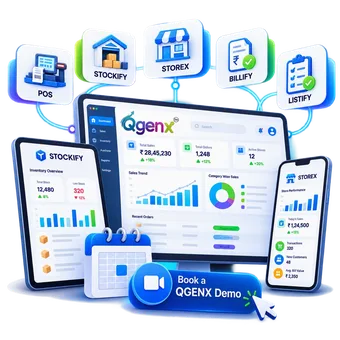
Tell us about your current workflow, look at the product closest to the problem, and choose a 30-minute slot. A working walkthrough, not a slide deck.